
Proper invoice and credit note numbering is essential for maintaining organized records, ensuring compliance with tax regulations, and providing a seamless customer experience. With Billova, you can customize numbering formats to match your business needs while keeping everything structured and professional.
Steps to Set Up Invoice and Credit Note Numbering
- Step 1: Open Billova in Shopify.
- Step 2: Go to the Settings section and click on the General tab.
- Step 3: Find the Invoice and Credit Note Numbering fields.
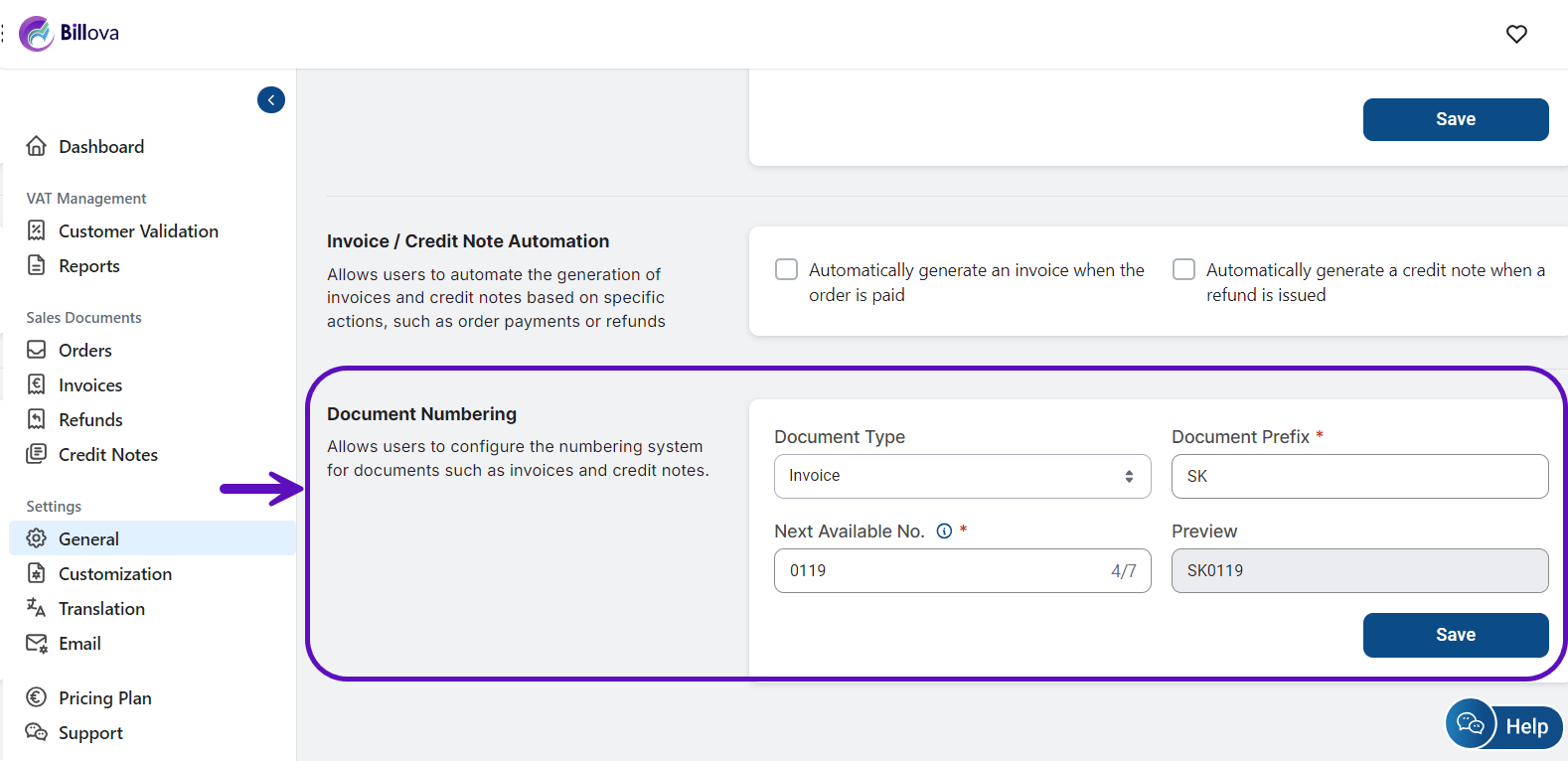
Here, you can:
*Set a starting number (e.g., 1001) to ensure sequential order.
*Choose custom formats that align with your internal records.
- Step 5: Save your settings.
Setting up structured numbering helps prevent duplication, improves document tracking, and ensures compliance with accounting standards. With Billova, you can automate this process and keep your financial records well-organized while focusing on business growth.