
A watermark gives your invoices a more polished and trustworthy appearance. It helps reinforce your brand identity and adds an extra layer of professionalism that your clients immediately notice. Whether it’s your logo, a background pattern, or an official stamp, Billova makes it easy to include it.
Follow the steps below to upload and position your company logo on your invoice template.
- Step 1: On the left menu in the settings section, locate and select the Customization tab.
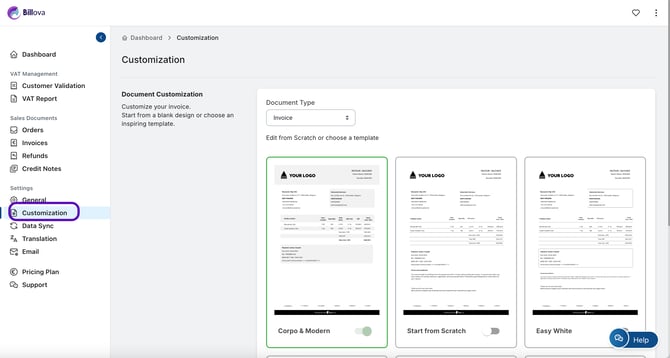
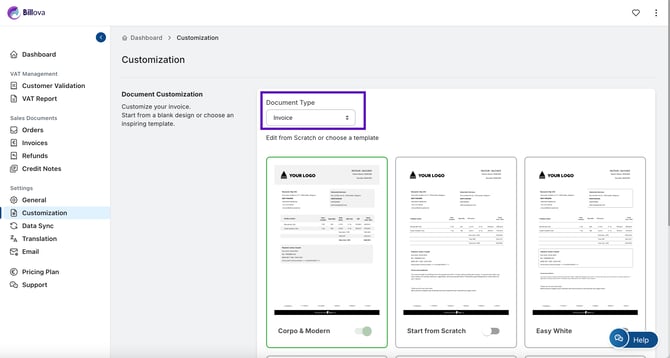
- Step 2: Select Invoice in Document Type.
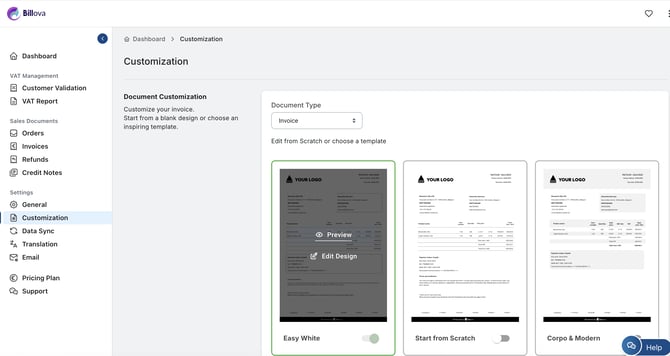
- Step 3: Move your mouse over the template you want, then click ‘Edit Design’.
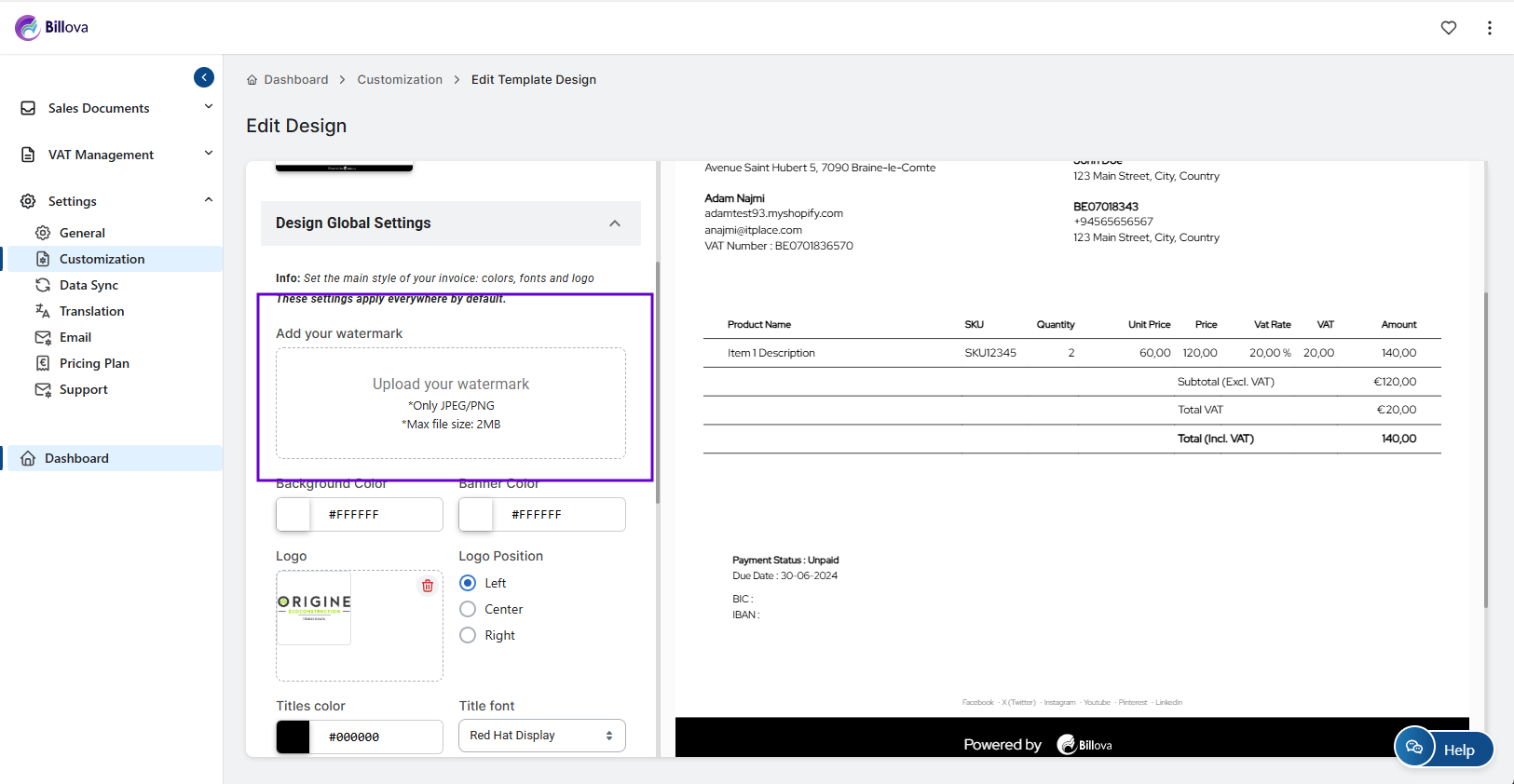
- Step 4: In the Design Global Settings panel, locate the Add your Watermark section.
- Step 5: Click the upload icon and select your Watermark file from your device (recommended formats: PNG or JPG, max file size 2MB).
- Step 6: Click Save to confirm and apply your changes.
Your watermark will now automatically appear on every invoice you create, without needing to modify each document manually.
To maintain readability and visual quality, make sure your watermark:
-
Has a light opacity so text remains perfectly visible
-
Uses a high-resolution file to avoid pixelation
-
Fits well within the invoice layout without overlapping key information
Preview your invoice after saving to confirm the result appears exactly the way you want.
Adding a watermark is one of the easiest ways to enhance your invoice design while staying consistent with your brand image. It saves time, avoids repetitive manual edits and ensures every invoice looks clean, polished and uniquely yours.